

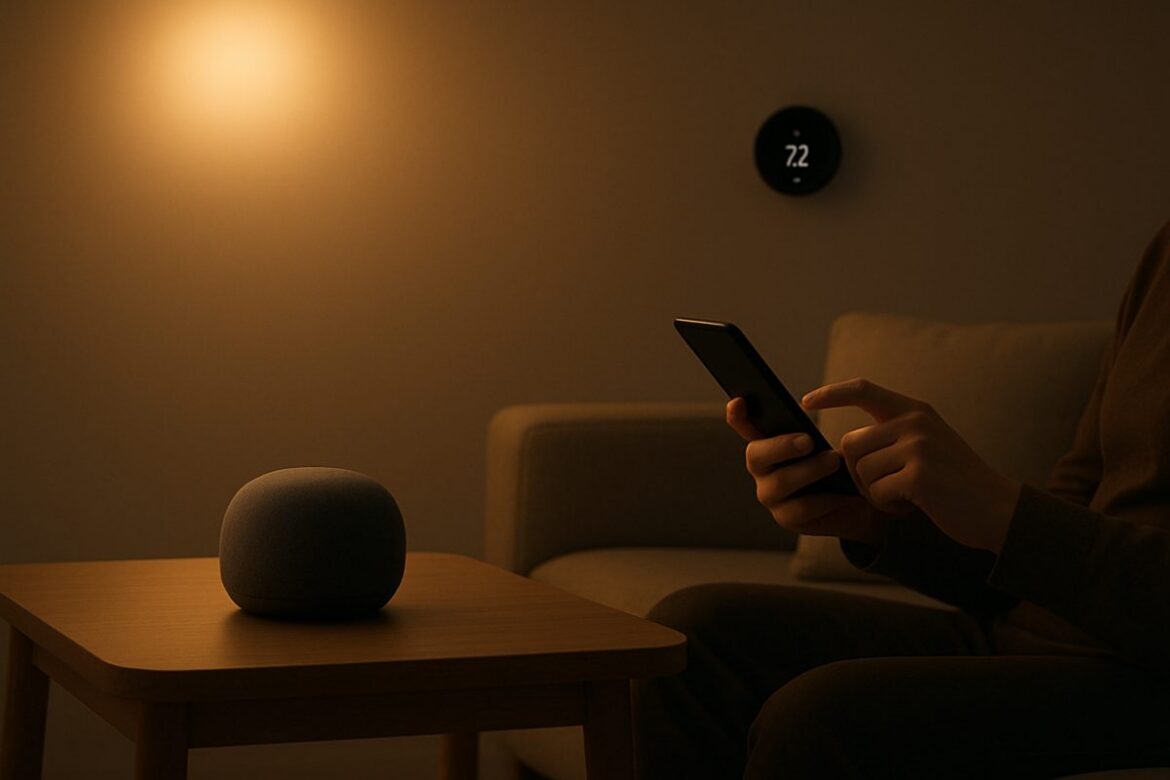
In this guide, you’ll learn how to transform your home into a smart home with practical, step-by-step instructions. From integrating smart lighting to optimizing your network for seamless connectivity, this guide covers essential tips and tools for a successful smart home setup. Whether you’re starting from scratch or upgrading existing systems, you’ll gain the knowledge to enhance convenience, efficiency, and security in your living space.
Assess Your Needs and Goals
Before diving into smart home technology, it’s crucial to identify what you want to achieve. Are you looking to enhance security, improve energy efficiency, or simply add convenience? Defining your goals will guide your product choices and system designs.
Prioritize Features
- Security: Consider devices like smart locks, cameras, and alarm systems. For instance, the August Smart Lock Pro offers keyless entry and remote access, while the Ring Video Doorbell provides live video feeds and motion alerts.
- Energy Efficiency: Smart thermostats like Nest Learning Thermostat can reduce energy bills by up to 15% on heating and cooling. Energy-monitoring devices help track usage and identify savings opportunities.
- Convenience: Voice assistants such as Amazon Alexa or Google Assistant can control lights, thermostats, and more with simple voice commands. Automated routines can be set up to manage tasks like turning off lights or locking doors at night.
Budget Considerations
Smart home devices range from affordable to high-end. Set a realistic budget by prioritizing must-have features and considering future scalability. For example, a basic smart lighting setup with a few bulbs may cost around $100, while a comprehensive security system could exceed $1,000. Remember, a higher initial investment can yield better long-term savings, especially with energy-efficient devices.
Ensure Robust Network Infrastructure
Your smart home relies heavily on a stable internet connection. Without a strong network, even the best devices will underperform. Start by assessing your current WiFi setup.
Check and Optimize WiFi Speed
Use tools like How to Check WiFi Speed to ensure your connectivity is up to par. Aim for a minimum speed of 25 Mbps for streaming and multiple devices. If issues persist, consider upgrading your router to a dual-band or tri-band model, or adding mesh network extenders like Google Nest WiFi for better coverage.
Secure Your Network
Implement strong passwords and consider using a guest network for smart devices to enhance security. Regularly update firmware to protect against vulnerabilities. Enable WPA3 encryption if available, and consider setting up a firewall for additional protection.
Select the Right Smart Devices
Choosing compatible and reliable devices is key to a seamless smart home experience. Focus on well-established brands that offer good customer support and regular updates.
Smart Hubs and Controllers
Centralize control with a smart hub. Options include Amazon Echo, Google Nest Hub, or transforming your iPad into a versatile smart home hub as detailed in Transform Your iPad into a Versatile Smart Home Hub. Ensure your chosen hub supports the devices you plan to use, checking for compatibility with protocols like Zigbee or Z-Wave.
Device Compatibility
Ensure that all devices are compatible with your chosen hub. Look for devices that support universal standards like Zigbee or Z-Wave for broader compatibility. For example, Philips Hue lights are compatible with both Zigbee and Bluetooth, offering flexibility in integration.
Plan and Install Smart Lighting
Smart lighting is often the first step in smart home transformation due to its ease of installation and immediate impact on ambiance and energy savings.
- Choose a lighting platform (e.g., Philips Hue, LIFX).
- Replace existing bulbs with smart bulbs. Ensure the bulbs are compatible with your fixtures and hub.
- Set up the smart lighting app on your smartphone. Apps like Hue Sync or LIFX provide easy control and customization.
- Create lighting schedules and scenes to enhance daily routines. For example, set lights to dim gradually in the evening to promote relaxation.
Integrate Smart Security Features
Enhancing security with smart technology provides peace of mind and real-time monitoring capabilities.
Smart Locks and Cameras
Install smart locks like August Smart Lock for keyless entry. Pair with cameras such as Ring or Arlo for comprehensive surveillance. Ensure cameras have features like night vision and two-way audio for enhanced security.
Alarm Systems
Consider systems like SimpliSafe or ADT that integrate with existing smart devices for an all-in-one security solution. These systems offer professional monitoring and can be controlled remotely via smartphone apps.
Optimize Energy Efficiency
Smart thermostats and energy monitors not only save money but also reduce your environmental footprint.
Smart Thermostats
Install devices like Nest or Ecobee to automate heating and cooling. They learn your schedule, adjusting temperatures for comfort and savings. Look for ENERGY STAR-certified models for maximum efficiency.
Energy Monitoring
Use smart plugs and monitors to track energy consumption and identify high-usage appliances. This data helps in making informed decisions to reduce energy waste. Consider devices like TP-Link Kasa Smart Plug for real-time monitoring and control.
Comparison of Smart Home Hubs
| Feature | Amazon Echo | Google Nest Hub | Apple HomePod |
|---|---|---|---|
| Voice Assistant | Alexa | Google Assistant | Siri |
| Compatibility | Wide (Zigbee, WiFi) | Wide (WiFi, Bluetooth) | Limited (Apple ecosystem) |
| Price Range | $40 – $200 | $50 – $230 | $99 – $299 |
| Display | No | Yes | No |
| Audio Quality | Good | Good | Excellent |
FAQ
What is a smart home?
A smart home uses internet-connected devices to enable remote management and monitoring of systems such as lighting, security, and climate. For a deeper understanding, explore what is a smart home.
How can smart home technology improve my daily life?
Smart home technology offers convenience, energy efficiency, and enhanced security. It allows you to automate daily tasks, manage energy consumption, and monitor your home remotely. For more insights, read Smart Home Tech: Transforming Daily Life and Efficiency.
Is it difficult to install smart home devices?
Many smart home devices are designed for easy DIY installation with clear instructions. However, more complex systems like integrated security may require professional installation. Evaluate your comfort level with technology before undertaking extensive installations. For example, installing a smart thermostat might require basic electrical skills, whereas setting up a smart lighting system can be as simple as screwing in a bulb.
How do I troubleshoot connectivity issues with smart devices?
Start by checking your WiFi speed and coverage. Ensure your devices are within range of the router and that there are no obstructions. For persistent issues, consult guides like How to Fix WiFi. Additionally, check for firmware updates for your devices and router, and consider resetting your router if problems persist.
Next Steps
You now have a comprehensive understanding of how to transform your home into a smart home. Begin by assessing your needs and setting a budget, then proceed with optimizing your network and selecting compatible devices. As you install and integrate these technologies, you’ll enjoy a more efficient, convenient, and secure living environment. Continue exploring advanced automation options to further enhance your smart home experience, such as integrating smart appliances or setting up home automation routines that connect multiple devices for seamless operation.