

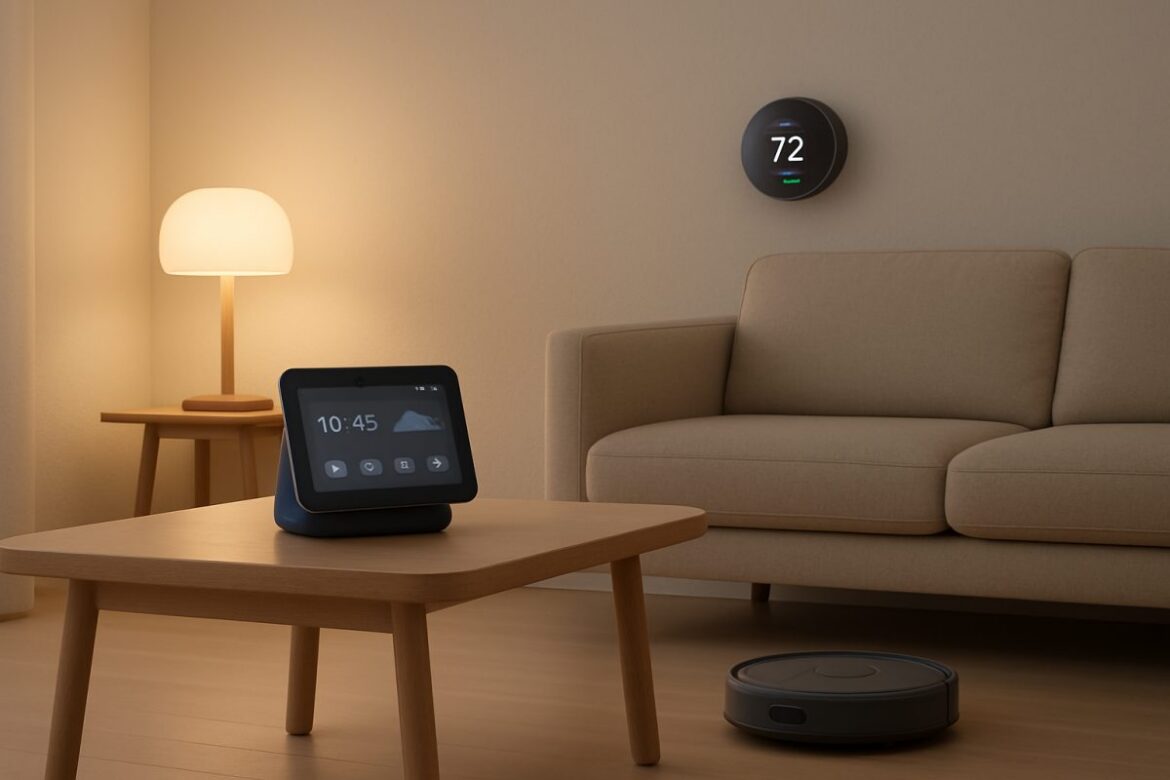
Smart home technology is revolutionizing how we interact with our living spaces, enhancing convenience, security, and energy efficiency. By integrating cutting-edge devices and systems, you can automate routine tasks, optimize energy usage, and maintain greater control over your home environment. This guide provides detailed, actionable steps to effectively implement smart home tech, ensuring you reap maximum benefits.
Understanding Smart Home Technology
Smart home technology encompasses a wide range of internet-connected devices that monitor, manage, and control home functions. From lights and thermostats to security systems and appliances, these devices can be automated and controlled remotely. The global smart home market is projected to grow significantly, with estimates suggesting it will reach over $150 billion by 2025. This growth is driven by the increasing demand for energy-efficient solutions and enhanced security features.
Core Components of a Smart Home
- Smart Hubs: Centralize control for all smart devices, enabling seamless integration and communication. Popular options include the Amazon Echo, Google Nest Hub, and Samsung SmartThings.
- Smart Lighting: LED bulbs and smart switches allow for remote control and automation based on occupancy or time of day. Philips Hue and LIFX are leading brands offering extensive color and control options.
- Smart Thermostats: Optimize heating and cooling schedules to reduce energy consumption. The Nest Learning Thermostat and Ecobee SmartThermostat are notable for their advanced features, such as learning algorithms and room sensors.
- Security Systems: Cameras, sensors, and locks enhance home security with real-time alerts and remote access. Brands like Ring and Arlo offer comprehensive security solutions with cloud storage options.
Steps to Implement Smart Home Devices
- Assess Your Needs: Identify which home functions you wish to automate or enhance. Consider areas where you spend the most time or have the highest energy usage, such as living rooms and kitchens.
- Research Compatible Devices: Ensure devices are compatible with your existing infrastructure and each other. Use compatibility checkers or manufacturer websites to verify.
- Plan Your Network: A robust WiFi network is essential. Learn How to Check WiFi Speed to ensure it supports your devices. Consider upgrading to a mesh network system like Google Nest WiFi for better coverage.
- Install Devices: Follow manufacturer instructions for installation and setup. Most devices offer step-by-step guides via mobile apps for user-friendly installation.
- Integrate with Smart Hub: Connect devices to a smart hub for centralized control. Use apps like Apple HomeKit or Google Home to manage devices seamlessly.
- Configure Automation: Set up routines and schedules that align with your lifestyle. For example, program lights to turn on at sunset or thermostats to adjust when you leave for work.
Optimizing Energy Efficiency
Smart home technology can significantly cut energy costs by automating energy-intensive processes. Here’s how to maximize efficiency:
Smart Thermostat Settings
- Schedule Optimization: Program temperature settings based on occupancy patterns to avoid heating or cooling empty spaces. The U.S. Department of Energy estimates that smart thermostats can save up to 10% annually on heating and cooling costs.
- Geofencing: Use location data to adjust settings when you leave or approach home. This feature can reduce energy use by automatically setting the thermostat to eco-mode when you’re away.
Lighting Automation
- Motion Sensors: Install motion sensors to turn lights on or off based on room occupancy. This can reduce electricity costs by up to 30% in frequently used areas.
- Daylight Sensors: Adjust lighting based on natural light availability to save electricity. Many smart bulbs, like Philips Hue, offer built-in daylight sensors.
Enhancing Home Security
Integrating smart security systems can provide peace of mind and protection against intrusions. The FBI reports that homes without security systems are 300% more likely to be burglarized. Smart security systems offer a proactive approach to home safety.
Smart Locks and Cameras
- Remote Monitoring: View live camera feeds and receive alerts on suspicious activity. Systems like Arlo Pro 4 offer 2K video resolution and customizable alert settings.
- Access Control: Grant temporary access to visitors or service providers remotely. Smart locks from August or Schlage allow you to create unique access codes for guests.
Common Pitfalls and How to Avoid Them
While smart home technology offers numerous benefits, users may encounter several challenges:
Compatibility Issues
- Solution: Use a comprehensive smart hub like Samsung SmartThings or Apple HomeKit for broader device compatibility. Always check for compatibility with existing devices before purchasing new ones.
Network Overload
- Solution: Upgrade your router to handle multiple devices or consult our guide on Should I Setup My Own WiFi Network or Hire Someone. Consider routers like the Netgear Nighthawk for high-performance needs.
Cost-Benefit Analysis
Investing in smart home technology can be financially advantageous. Below is a comparison of initial costs versus long-term savings:
| Device | Initial Cost (USD) | Annual Savings (USD) | Payback Period |
|---|---|---|---|
| Smart Thermostat | $150-$250 | $130-$180 | 1-2 years |
| Smart Lighting | $50-$200 | $50-$100 | 1-3 years |
| Smart Security System | $200-$500 | Varies | 3-4 years |
FAQ
How can I ensure my smart home devices are secure?
Regularly update the firmware of your devices and use strong, unique passwords. Consider enabling two-factor authentication where possible. Additionally, secure your home network with WPA3 encryption and disable any unused features that may pose security risks.
Do smart home devices work without internet?
Some devices have limited functionality offline, but most require internet connectivity for full features. Learn more about devices like the Nest Thermostat Can the Nest Thermostat Work Without WiFi. Devices like smart locks may offer Bluetooth connectivity as a backup.
What should I do if my smart home devices are not responding?
Check your network connection first. If issues persist, reboot the device or consult our guide on How to Fix WiFi. Ensure your devices are within range of your WiFi network and consider using a range extender if necessary.
Next Steps
Embarking on your smart home journey involves continuous learning and adaptation. Start by integrating basic devices and gradually expand your system as you become more comfortable. Stay informed about new technologies and updates to maximize your smart home’s potential. Consider professional consultation for complex setups to ensure optimal performance and security. Engage with online communities and forums for user reviews and troubleshooting tips to enhance your smart home experience.