

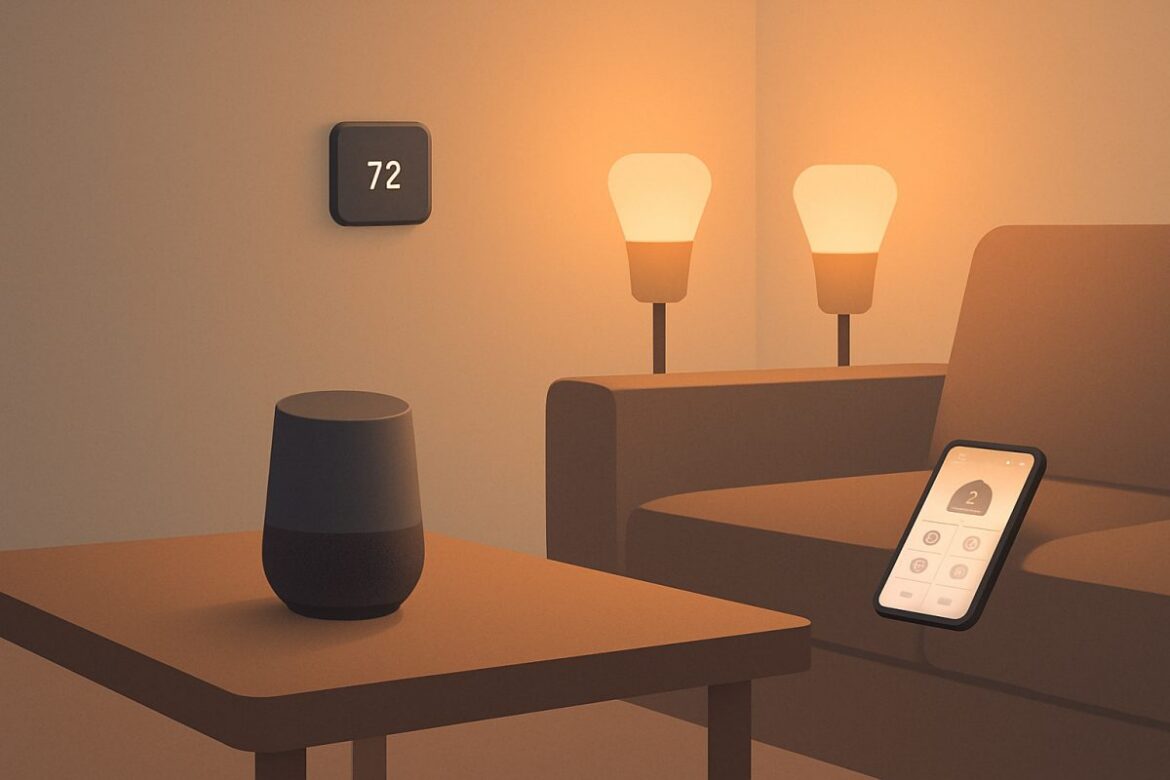
Welcome to the world of smart home devices, where technology meets convenience to transform your living space into a connected haven. This guide will equip you with the essential knowledge to get started with smart home technology, from understanding the basics to selecting and setting up devices that suit your needs. Let’s explore how you can enhance your home’s functionality, security, and energy efficiency with smart technology.
Understanding Smart Home Basics
Before diving into the specifics, it’s crucial to grasp what a smart home entails. A smart home uses internet-connected devices to enable remote management and automation of systems such as lighting, heating, and security. This connectivity is facilitated by a central hub or app that coordinates communication between devices.
Key Components of a Smart Home
- Hub or Controller: Acts as the brain of your smart home, coordinating communication between devices. Popular hubs include Samsung SmartThings and Amazon Echo Plus, each offering different compatibility with smart devices.
- Smart Devices: Include lights, thermostats, cameras, and more, which can be controlled remotely. For example, Philips Hue lights can be dimmed or color-changed via an app, while Nest thermostats learn your schedule to optimize heating and cooling.
- Protocols: Communication standards like Zigbee, Z-Wave, Wi-Fi, and Bluetooth. Zigbee and Z-Wave are low-power options ideal for battery-operated devices, whereas Wi-Fi and Bluetooth are more common in devices requiring constant power.
Benefits of a Smart Home
- Enhanced Convenience: Automation and remote control simplify daily tasks. For instance, you can schedule lights to turn on at sunset or adjust your thermostat from your smartphone.
- Increased Security: Smart locks and cameras provide real-time alerts and remote monitoring. Devices like the Ring Video Doorbell allow you to see and speak to visitors even when you’re not home.
- Energy Efficiency: Smart thermostats and lighting can significantly reduce energy consumption. The Nest Learning Thermostat, for example, can cut heating and cooling bills by up to 15% by automatically adjusting based on your habits.
Selecting the Right Smart Home Devices
Choosing the right devices is crucial for a seamless smart home experience. Here are some categories and considerations to guide your selection.
Smart Lighting
Smart bulbs like Philips Hue or LIFX offer customizable lighting options. Ensure compatibility with your hub and consider features like color changing and scheduling. Philips Hue, for instance, integrates with Apple HomeKit, Google Assistant, and Amazon Alexa, offering flexibility in voice control and automation.
Smart Thermostats
Devices such as the Nest Learning Thermostat can optimize your heating and cooling patterns, potentially reducing energy bills by up to 15%. The Ecobee SmartThermostat with Voice Control offers similar features with added Alexa integration, allowing for voice commands and music streaming.
Smart Security
Security cameras, such as the Arlo Pro series, offer real-time monitoring. Consider features like night vision, motion detection, and cloud storage options. For instance, the Arlo Pro 4 provides 2K video resolution and a 160-degree viewing angle, ensuring comprehensive coverage of your property.
Setting Up Your Smart Home
Setting up a smart home can seem daunting, but breaking it down into manageable steps can simplify the process.
- Assess Your Needs: Identify which systems you want to automate and prioritize based on your lifestyle. For example, if energy savings are a priority, start with a smart thermostat.
- Check Compatibility: Ensure your chosen devices are compatible with your hub or controller. Devices using Zigbee or Z-Wave require a compatible hub, while Wi-Fi devices may work independently.
- Install Devices: Follow manufacturer instructions for setup, ensuring each device connects to your Wi-Fi network. Most smart devices require a 2.4 GHz network for optimal performance.
- Configure Settings: Use the hub’s mobile app to customize settings for each device, including schedules and automation rules. For instance, set your thermostat to lower the temperature when you leave for work.
- Test Functionality: Verify that each device operates as expected and troubleshoot any connectivity issues. Check for firmware updates that may resolve performance issues.
Common Installation Pitfalls
During installation, common issues include Wi-Fi connectivity problems and device incompatibility. For Wi-Fi issues, consult our guide on How to Fix WiFi. Ensure your router’s firmware is up to date and consider using a dedicated 2.4 GHz network for smart devices. If devices fail to connect, restarting your router or moving it closer to the devices may help.
Automation and Integration
Once your devices are set up, the real power of a smart home lies in automation and integration.
Creating Automation Routines
Automation routines allow devices to work together based on specific triggers. For instance, you can set your lights to turn off automatically when you leave home. Use apps like IFTTT (If This Then That) to create advanced routines, such as turning on the porch light when your security camera detects motion.
Integrating with Voice Assistants
Integrate your smart home with voice assistants like Amazon Alexa or Google Assistant for hands-free control. Ensure each device’s skill or action is enabled in the assistant’s app. For example, you can say, “Alexa, set the living room temperature to 72 degrees,” to adjust your thermostat without lifting a finger.
Comparing Smart Home Hubs
Choosing the right hub is vital for seamless integration. Here’s a comparison of popular options:
| Hub | Compatibility | Key Features | Price Range |
|---|---|---|---|
| Samsung SmartThings | Zigbee, Z-Wave, Wi-Fi | Wide device support, robust app | $60-$100 |
| Amazon Echo Plus | Zigbee, Wi-Fi | Built-in Alexa, no hub needed | $150-$200 |
| Google Nest Hub | Wi-Fi, Bluetooth | Google Assistant integration | $90-$130 |
FAQ
What is the best way to start with smart home technology?
Begin with a single device that addresses a specific need, such as a smart bulb or thermostat. This allows you to familiarize yourself with the technology and expand gradually. For instance, start with a Philips Hue bulb to explore lighting automation before investing in additional devices.
How can I ensure my smart home is secure?
Secure your network by using strong passwords and enabling two-factor authentication. Regularly update device firmware to protect against vulnerabilities. Consider using a separate network for your smart devices to isolate them from your main network, reducing the risk of breaches.
Do smart home devices work with all routers?
Most smart home devices require a 2.4 GHz Wi-Fi network. Ensure your router supports this frequency, and consult our guide on How to Check WiFi Speed for optimal performance. Dual-band routers can broadcast both 2.4 GHz and 5 GHz networks, providing flexibility for device connections.
Can I integrate smart home devices with my existing systems?
Many smart devices are designed for compatibility with existing systems. Check for compatibility with your current hub or consider upgrading to a more versatile hub for broader integration. For instance, if you have a Z-Wave lock, ensure your hub supports Z-Wave devices.
Next Steps
Embarking on your smart home journey can significantly enhance your living experience. Begin with a few key devices and expand as you become more comfortable with the technology. For further guidance, our comprehensive Transform Your Home: Step-by-Step Guide to a Smart Home can help you take the next steps in building a fully integrated smart home.